
Team /SPARTA/ · www.sparta-clan.de
/SPARTA/ / SA-Server rules
Picture instructions
1.
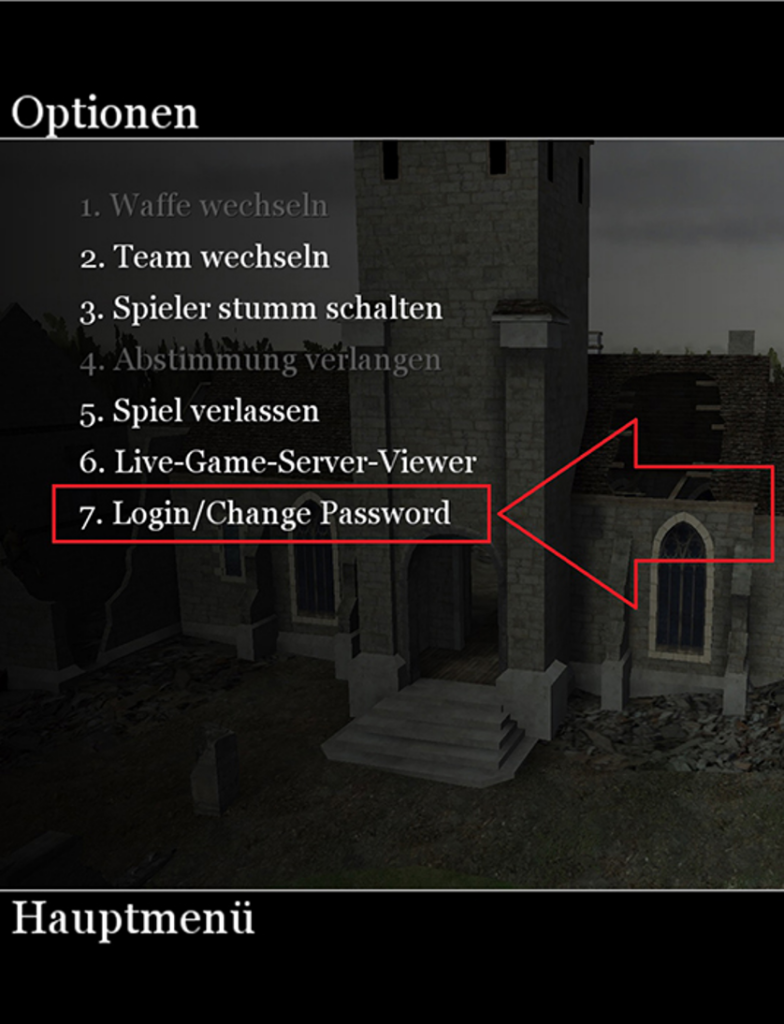
All admins must register. If you are already registered on the Akuma BZMOD server, use these credentials to access the SA tool.
2.
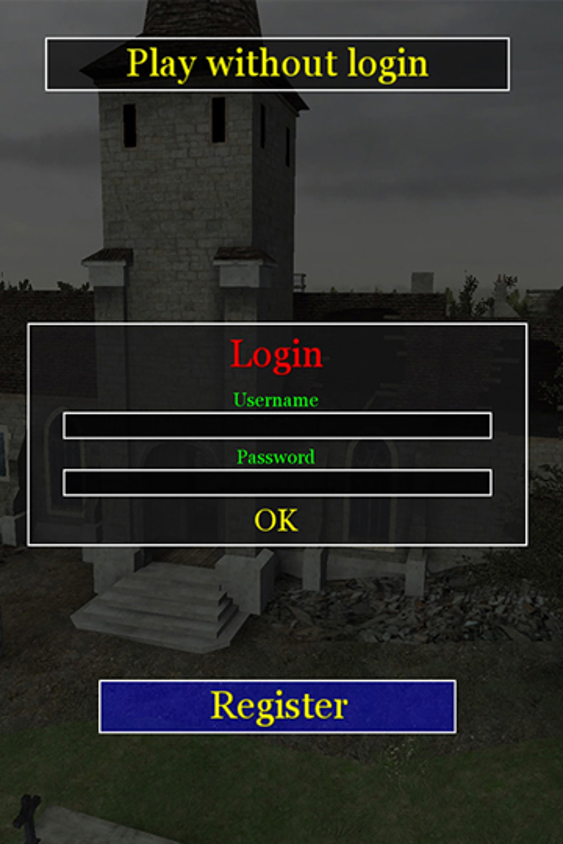
Now you will get to the login screen, here you can log in or register.
3.
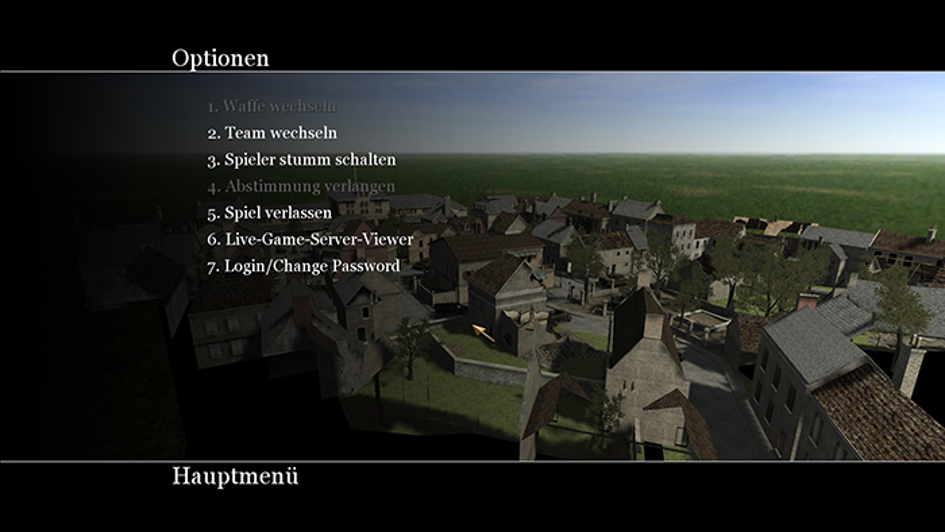
If the login was successful, they will return to the main menu without error message.
4.
This is a point that only I can take on board. Any admin who has registered is of course not yet an admin. The SA right can only be transferred by me personally. You go with me on the server and then receive the SA right from me.
5.
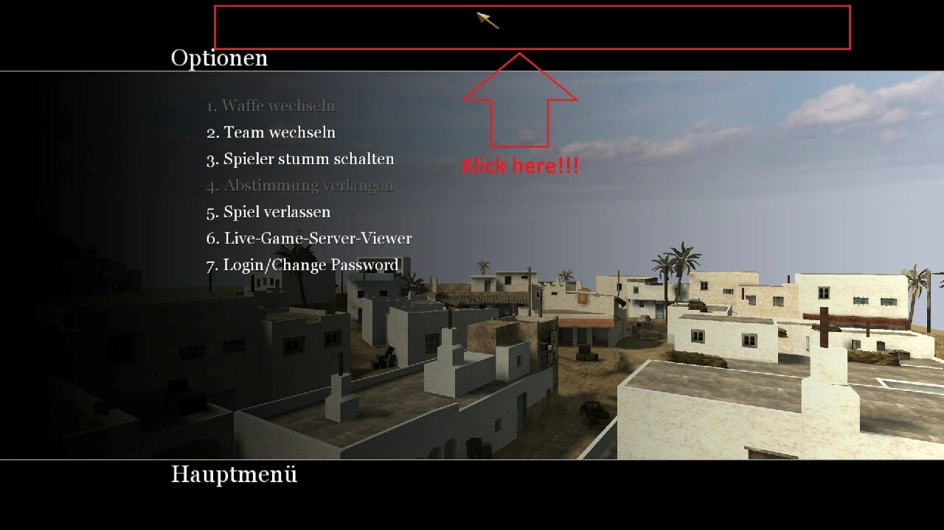
Click with the mouse in the middle of the upper edge of the screen, then the Admin menu opens.
6.
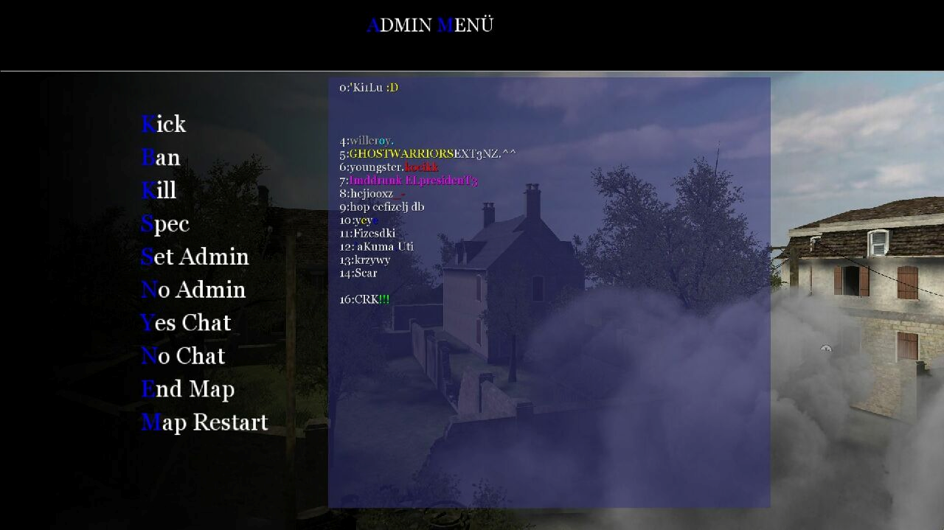
Now you have access to the Admin menu. Here you will see a number of commands that you can apply.
Note: You will not be able to use all the commands. The commands „YES Admin“ and „NO Admin“ can only be executed by me!
7.
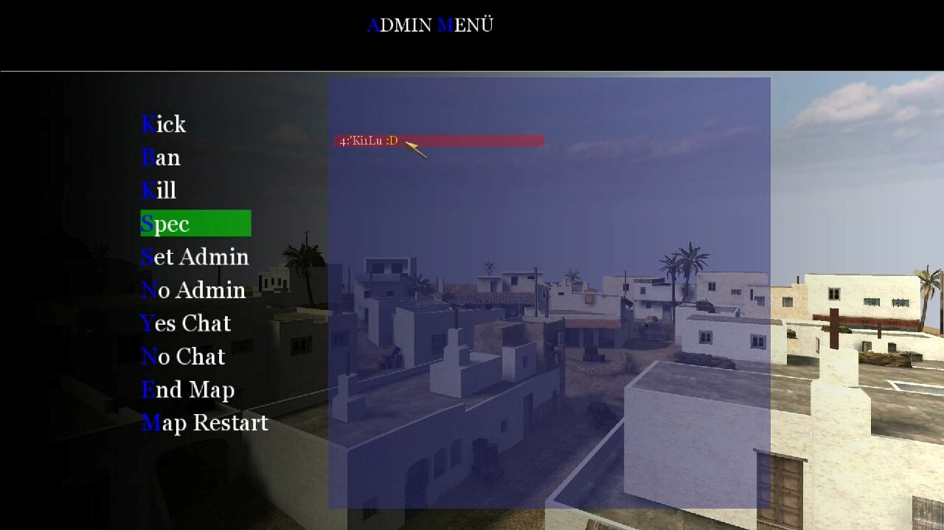
A command is executed by clicking on the desired command in the list on the left. If you have selected a command, the command is highlighted in green. To execute the command you only have to click on the player in the list on the right for whom the command should be executed.
Note: As an example we have selected the command „g_switchspec“ in the picture (Spec), this is now marked green and active, so that I am moved in the case into the spectator mode, I click with active command only on my name. The server now pushes me into the spectator mode.
All other commands are executed in the same way. Always activate the command first and then execute it on the desired player.
Please note, every admin is obliged to record the Ip of every player who is kicked or banned, as well as the player name!
You do this as follows. If you have logged in successfully, open the big console and enter the command „!list“. This will show you a table where you can find the player names and Ip’s of the affected players.
8.

The „!list“ command will give you all the information you need (IP and Guid).
9.
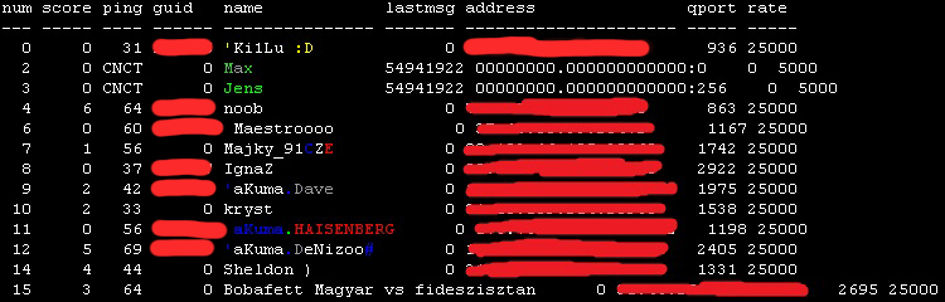
Here you can see the table displayed by the „!list“ command.
Here a times the overview of all current commands!
| Server commands: |
| 1. | !list | This command will show you a list of all players on the server, with their guids – (!list). |
| 2. | !kick ID | This command kicks a player, based on his ID – (!list). |
| 3. | !ban ID | This command bans a player, based on his ID – (!list). |
| 4. | !kill ID | This command kills a player, based on his ID – (!list). |
| 5. | !endmap | This command terminates the current map directly – (!endmap). |
| 6. | !map mp_toujane | This command loads the desired map, all maps can be selected here – (!map mp_tounane). |
| 7. | !nc ID | This command disables chat for 30 of a selected player based on his ID – (!list). |
| 8. | !yc ID | This command activates the chat of a selected person before the expiration of 30 minutes by his ID – (!list). |
| 9. | !maplist | This command displays all the maps available on the server. |
| 10. | !spec | This command promotes a player who is AFK to watch mode – based on the id from the command – (!list). |
I hope they have understood how it works.
Attention:
I repeat once again, all commands are always based on the ID’s, which are displayed in the table via the command „!list“!
A Rcon password no longer exists, it was abolished for security reasons. The selection of commands is still very small, but I can always expand the selection. The graphical overview page has been postponed for the time being, but it can still be made and added later.
For the admins, every command is recorded! All commands you use are recorded in the logfile. The passing on of the Rcon is not possible any more, that there is no Rcon any more.
Means:
Each admin has its own access data, which no other member knows, if an admin passes on his data to third parties and is recorded in the log file that is not desirable commands are executed, the affected all rights are withdrawn and a ban from the clan is initiated.
NOTE: Admis are not allowed to ban other players from the server!!!! This task is the responsibility of the Head Admins or the project leadership!
Any admin who violates this rule, we sanctioned in this case! We see every command in the log file, an excuse is no longer possible, because we always carry the evidence with us!