
On this page we would like to give you some information about optimizations of the game. The post was divided into different sections to achieve a better overview.
If you know of any other settings for optimizations, please share them with us.
PC Optimization and Call of Duty 2 Tweaks [Part 1] List of Chapters
List of Chapters
Editing BIOS.
Installing DirectX End-User Runtimes and Visual C++ Redistributables.
Installing and Configuring Graphics Drivers.
Installing RInput v1.44 (Raw Mouse Input for CoD2).
Editing Windows Control Panel/Settings.
Call of Duty 2 Config Tweaks.
Conclusion.
Editing BIOS:
Usually we assume the latest Windows or Graphics Card update is the problem and while that can be true, we can change the way our hardware operates at the base level. This helps us rule out hardware settings as the cause of frame drops if it happens in the future. Editing the BIOS is a more advanced topic and if you don’t feel comfortable doing this then you should leave it completely alone but if you know what you are doing, I absolutely recommend disabling certain features to help with CPU performance.
I am currently using an Intel 9700k and this processor provides features that downclock the frequency to save power or overclock the frequency to increase performance, they are enabled by default and can cause frame drops if the frequency fluctuates while playing.
Overclocking your CPU is an entirely different topic and requires its own amount of knowledge so that you don’t damage your hardware, I am not an expert with this and frankly it is outside the scope of this guide. I generally don’t touch this and prefer to keep my CPU stable at its base clock without any power saving features which is done by disabling the settings below. I also recommend not using any overclocked XMP profiles for your RAM because these can cause stutter and input lag.
There are 5 settings that I disable in my BIOS:
EIST (Enhanced Intel SpeedStep Technology).
Turbo Boost.
XMP Profiles (Presets for RAM frequency and timings).
Intel C-States.
Intel Speed Shift.
I have personally found that disabling C-States fixed FPS fluctuations and kept it constant (FirmFoot remembers).
Installing DirectX End-User Runtimes and Visual C++ Redistributables
After I have installed Windows I always like to install the DirectX End-User Runtimes and the latest Visual C++ Redistributables. This means the redistrubutables needed for any programs I use in the future will already be installed (Except for one little program later in the guide but the redistributable for that will also be provided with its download).
The DirectX End-User Runtimes can be found here on Microsoft’s website. https://www.microsoft.com/en-gb/download/details.aspx?id=8109 The latest Visual C++ Redistributables can be found in an All-In-One Package here on GitHub. https://github.com/abbodi1406/vcredist/releases/latest
The Visual C++ Redistributable Package will need to be unzipped before you can install it:
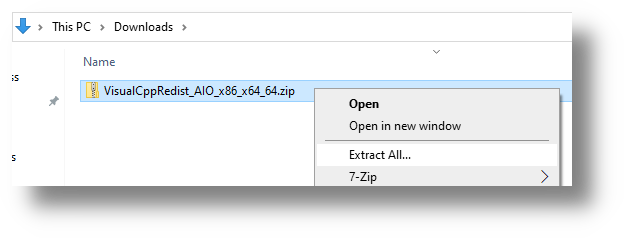
Install these as you would any other program, they don’t require a restart.